Overview
Riddle Manager is a web-based password manager that aims to identify weak or known (vulnerable) passwords based on "plain text" and/or "different types of hash". It has the ability to create custom variations from a word or a dictionary, ultimately generating custom databases for each user. It supports Vault functions with "Zero Knowledge" on the server side, helping the user to access his credentials via a browser extension.
Project Demo
Goals
Since all of us have a multitude of accounts, credit-cards, personal documents, it's almost impossible to keep track and remember all the details. The first human instinct is to create a password based on personal details (date of birth, address, favorite car brand, etc.) or easy to remember patterns (e.g. 1234), even worse when the user re-uses those credentials for multiple logins. The goal here is to create a universal secure SSO (Single Sign-On) service that will help the user access multiple accounts with different credentials only knowing one complex and near impossible to guess/break login.
There are many well known and public wordlists (e.g. rockyou.txt) but most of them are written in English, using an English keyboard layout, thus the complexity and personalisation is lacking. For example the password "Password2000" will appear in many leaked passwords databases but if we take the same password and translate it to Romanian it becomes "Parola2000" or even better if the user uses a Romanian keyboard layout the same password becomes "Parolă2000" which may seem secure because this will create a unique hash value that is not known to many "password checker" software providers. The goal here is to let each user (company or private) generate its own wordlist based on custom details and language, thus making sure that a password from that wordlist is never used.
Architecture
Using Flask, PostgreSQL, AI-powered OCR, and Docker, this project is split into 6 containers. The back-end application uses Python that manages data, logic, and server configuration. The front-end uses JavaScript, HTML and CSS to deliver the presentation layer for the user to interact with the app.
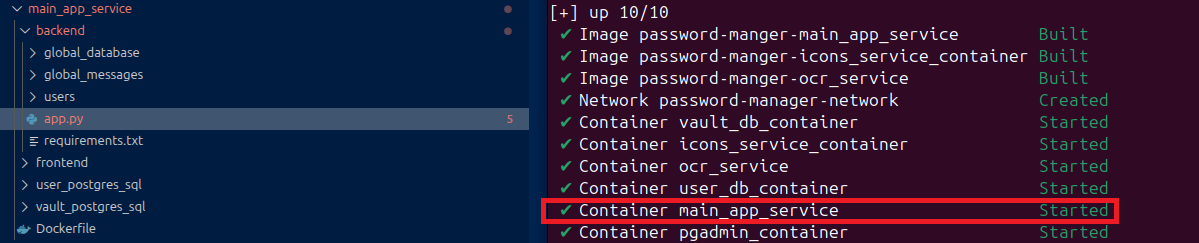
Icon Service
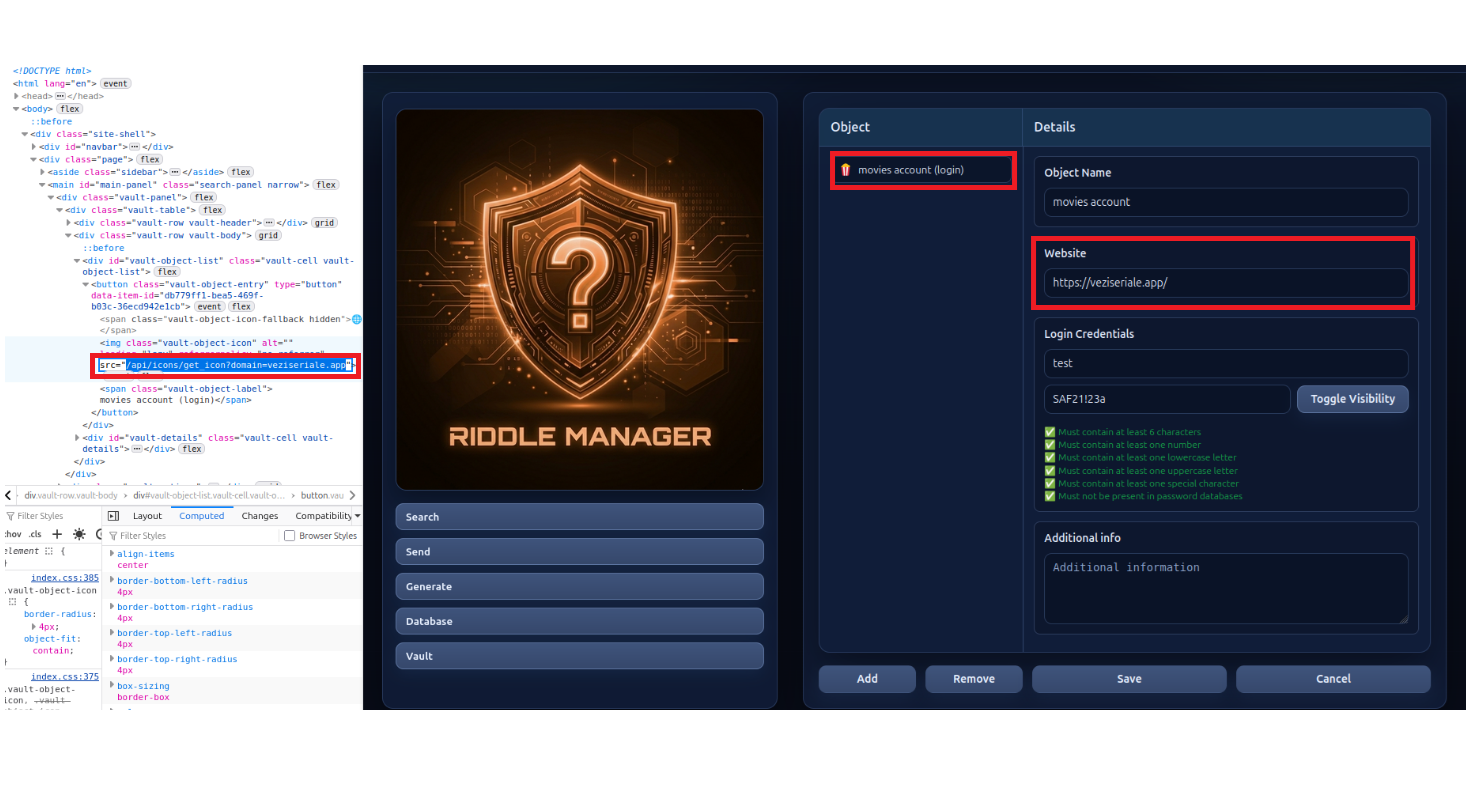
When a user creates a new entry (e.g. a "Login") in his Vault, this service is used to get and display an icon specifically for that URL. If all fails or this container is down, the main application will use a default icon. It helps the user to easily identify the entry in his vault. The main reason for this container is isolation and security of the main application — after a user enters a URL, the Icon Service will first check if it has that icon locally. If it doesn't, it will try to connect and get the icon from that website (e.g. www.example.com/favicon.ico), thus making the application possibly vulnerable to SSRF (Server-Side Request Forgery). Isolation prevents this risk from reaching the main app.
OCR Service
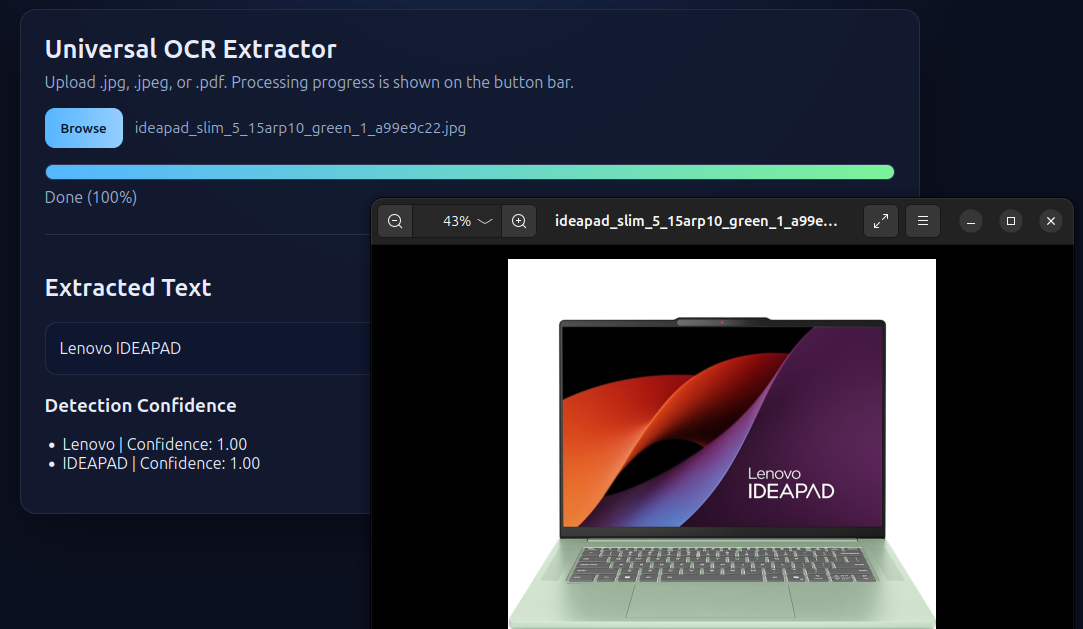
This service extracts text data from pictures or other types of documents. Look around your desk — it's easy to come up with a fast password and it's easy to remember. Perhaps a laptop, keyboard or a printer's brand catches the eye, maybe a company's name. This is where this service comes in handy. Taking a picture and extracting text from it can generate and reveal some very weak passwords (e.g. "Lenovo"). The process of getting text from a picture is highly resource consuming; it is enough for just a few users to process files in parallel and the container reaches its limits. The main reason for isolation is not to crash the main application. It works great with an Autoscaler to spin up another copy when needed.
PostgreSQL — Users Database
This container hosts the database that handles user authentication and holds each user's information. When a user creates his account, the backend will generate a hash using the password and add a salt to it.

Because of that "$" sign in the middle of it we can easily find what hash reflects the password and which is the salt. In a production setup this whole thing would be derived into a single hash and then saved in this database; basically what we see here would only live in the RAM memory for a short time.
PostgreSQL — Vault Database (Zero-Knowledge)
This container hosts the database responsible for storing all encrypted user credentials. To maintain a Zero-Knowledge architecture, the encryption process follows these steps:
- Key Derivation: When a user registers, the system generates a unique Vault Salt. This salt is combined with the user's master password to derive a Key Encrypting Key (KEK) using a high-entropy hashing algorithm.
- Master Vault Key Generation: A random, high-strength Master Vault Key (MVK) is generated in plain text for the user.
- Key Wrapping: This Master Vault Key is then encrypted (wrapped) using the KEK derived in step 1.
- Storage: Only the Vault Salt and the Encrypted Master Vault Key are stored in the database. The plain-text master password and the plain-text Vault Key are never saved to disk.
- Usage: Upon login, the password is used to re-derive the KEK, which decrypts the Master Vault Key into the backend's RAM to allow for the encryption and decryption of vault items.
This way, even in the worst case scenario where everything is compromised, nobody will be able to decrypt the contents of the vault.
Functionality 1 — Password & Hash Lookup
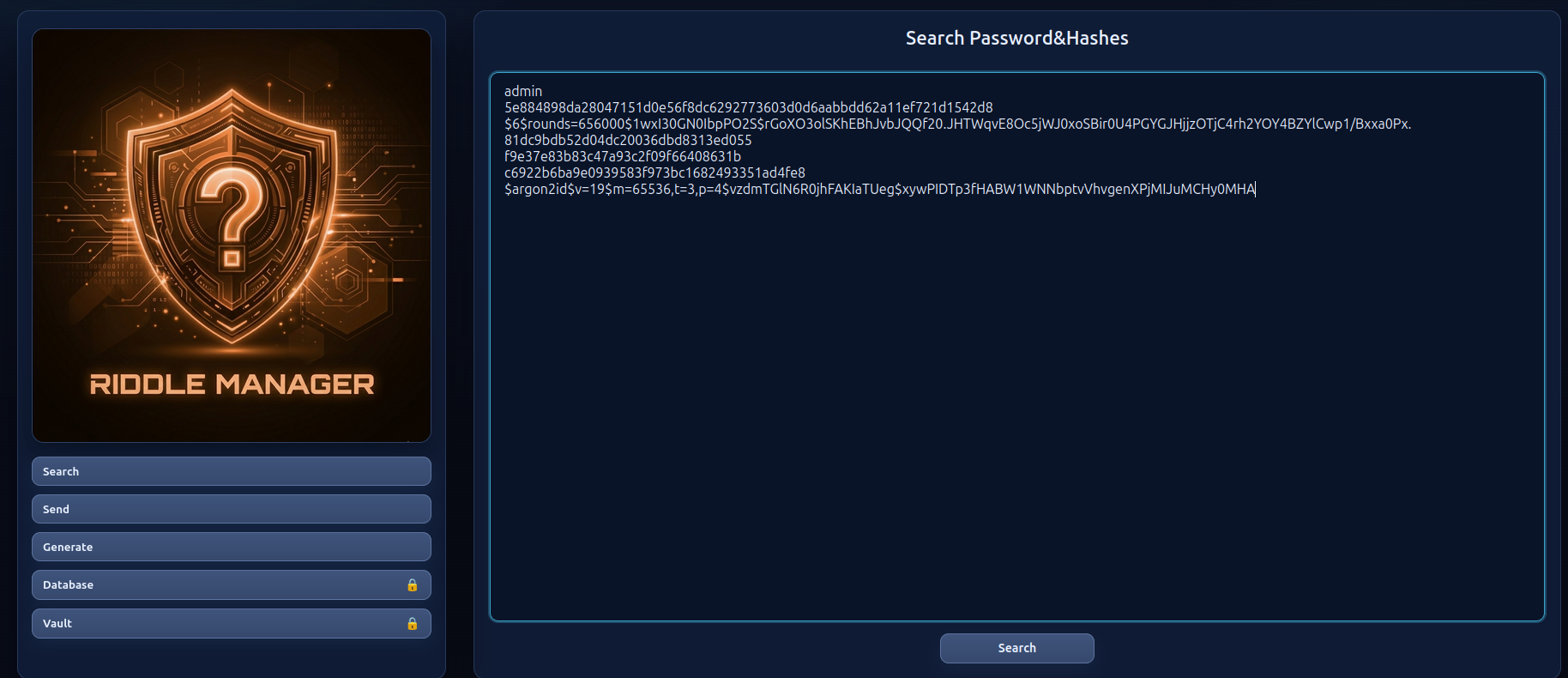
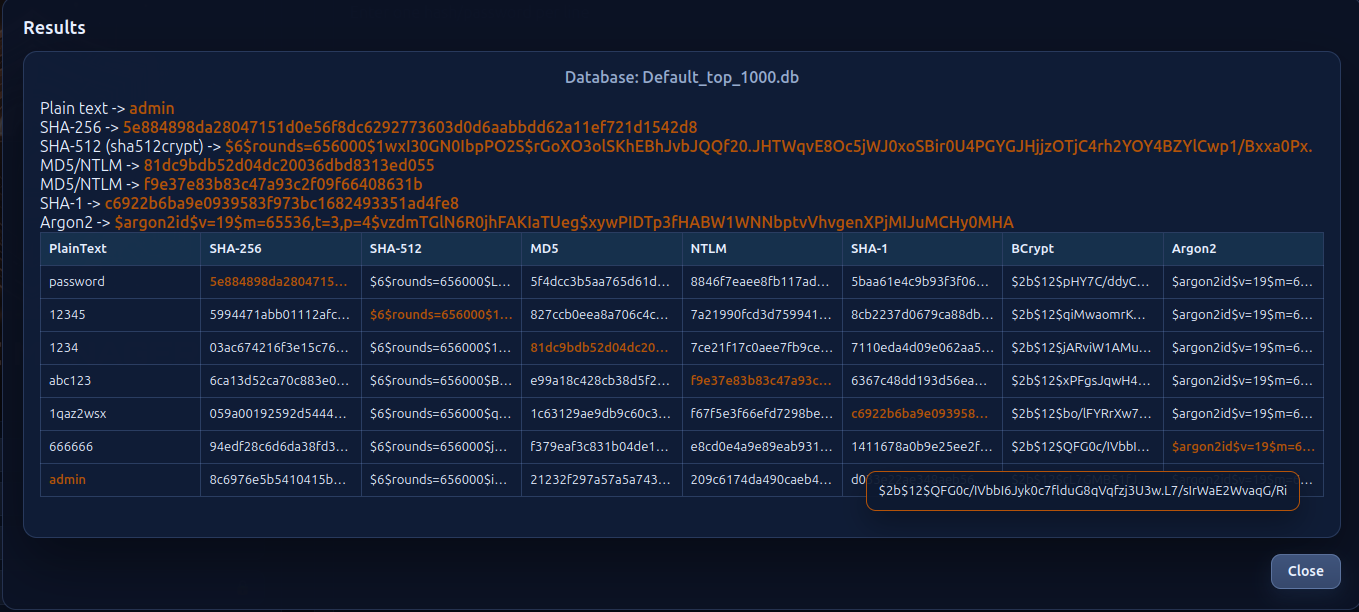
Very similar to the well known CrackStation. If the user is not logged in, the search will only work with the global database. It will try to auto-detect the user input so the search is targeted to the right columns, and display the information about that entry.
Functionality 2 — Secure Sharing
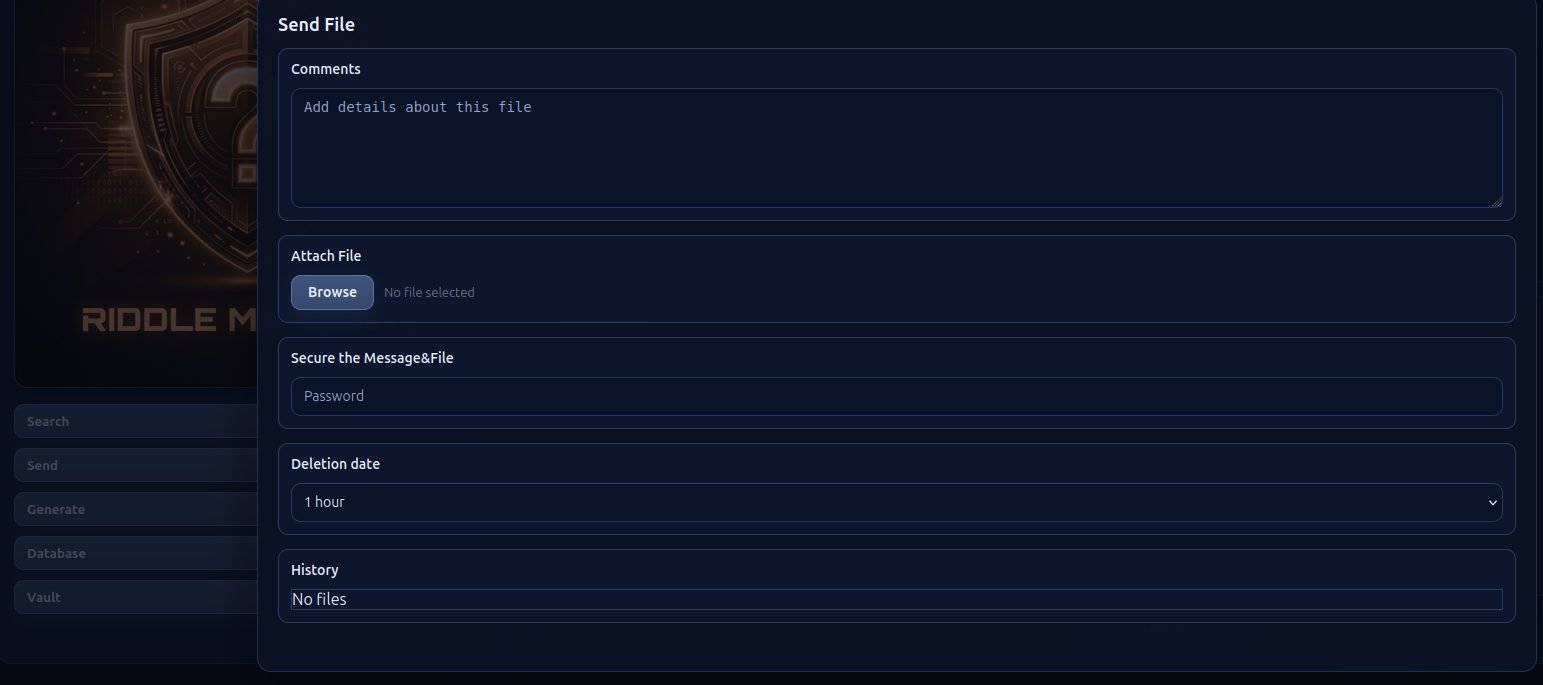
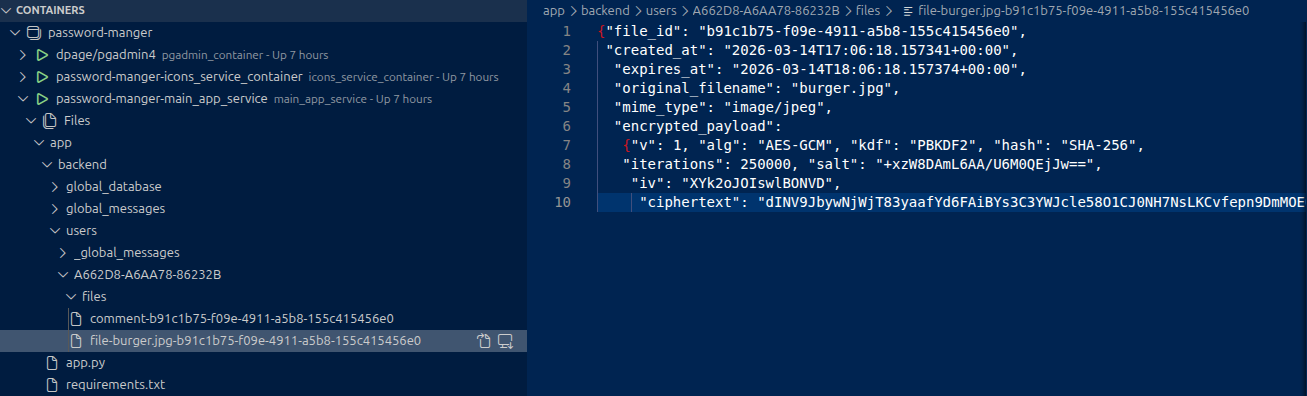
Sharing of text and/or files between two entities. The creator of the entry will set a password and the app's backend will encrypt it and store it. Sharing to the other party is done via a unique URL.
Functionality 3 — Custom Password Database
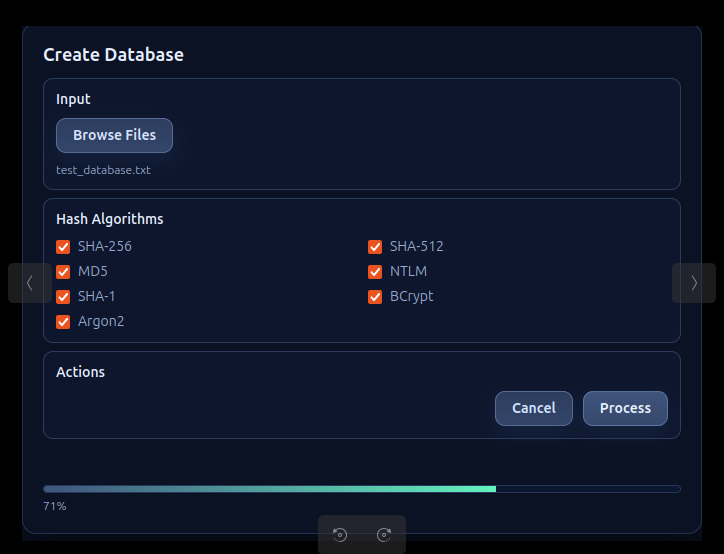
Creating and customizing a passwords & hashes database. Any user will have access to the global database (Default_top_1000.db) but after login the user will be able to create his own depending on personal requirements such as language or special characters.
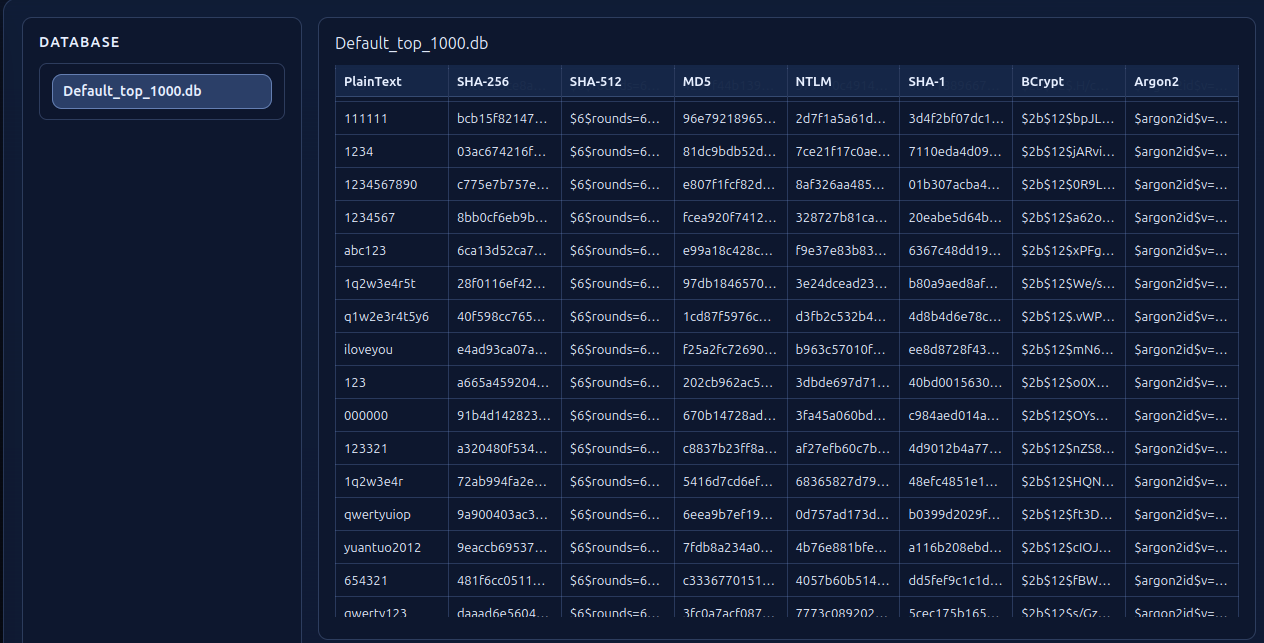
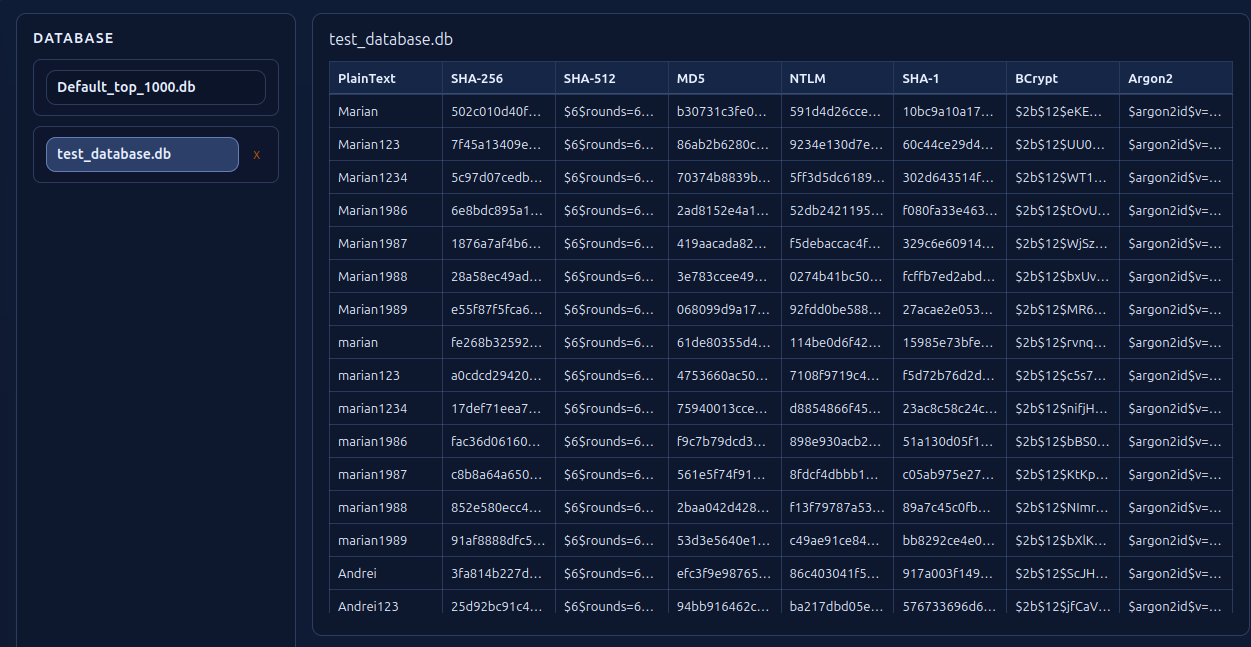
Functionality 4 — Custom Wordlist Generator
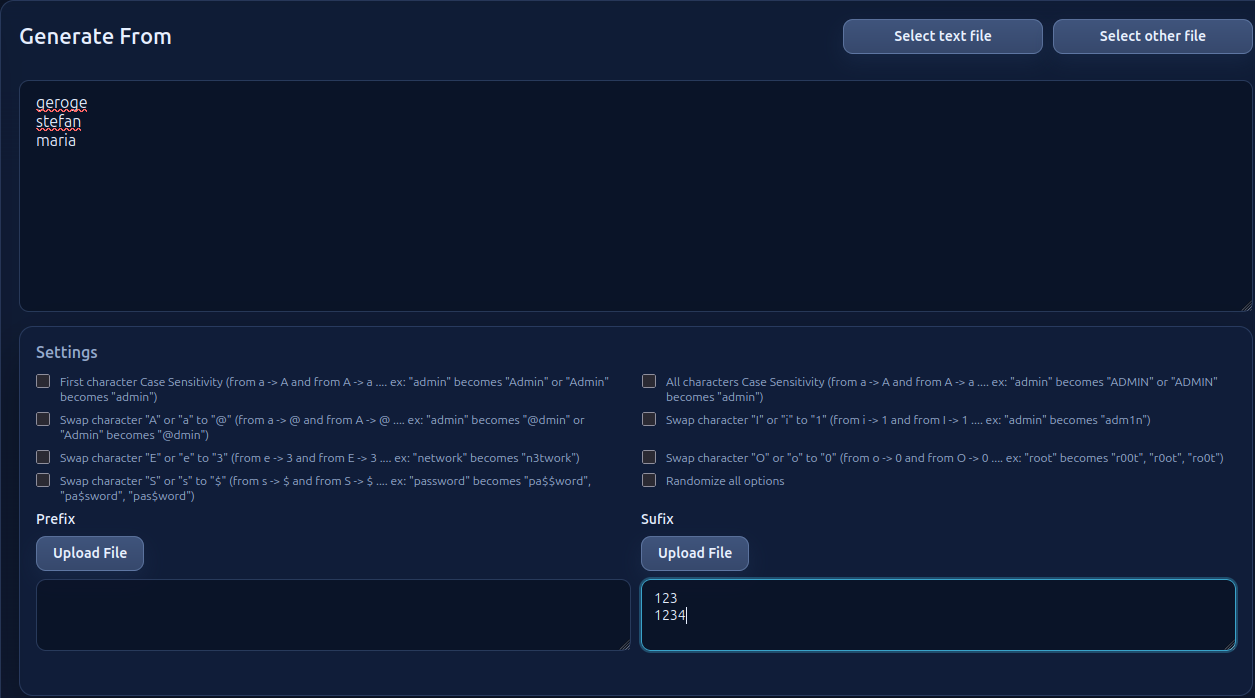
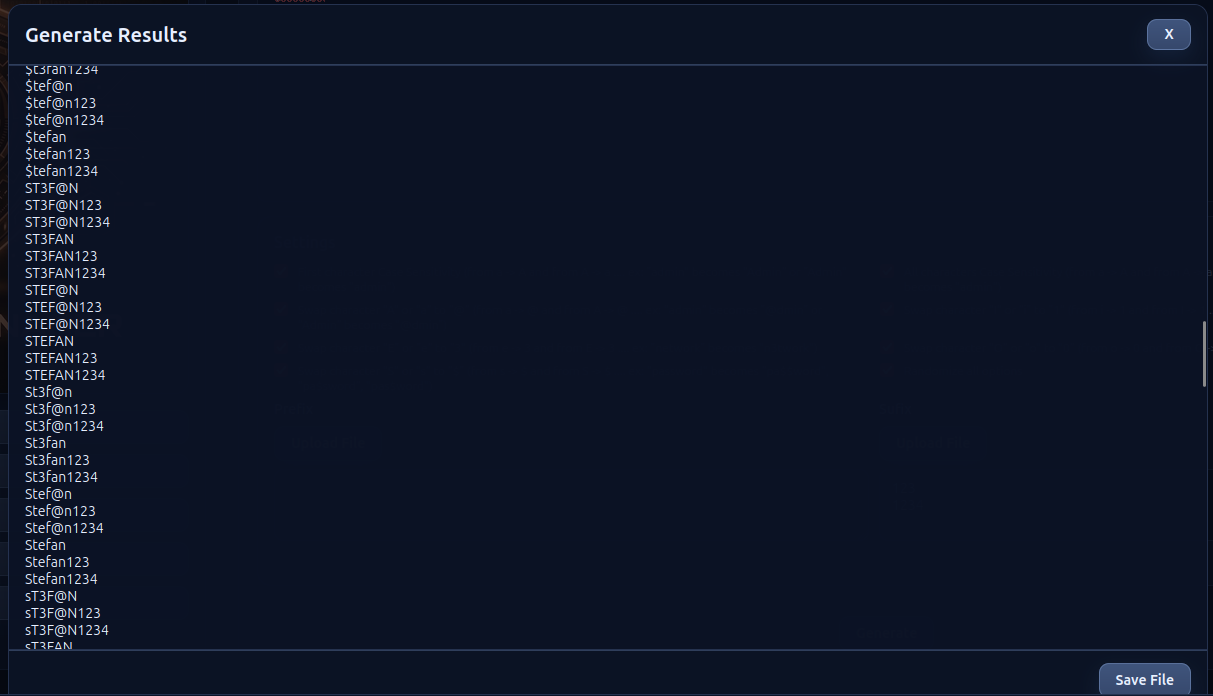
Helping the user create a custom wordlist. For example take the word "admin" — by altering some characters it would create "Admin, Adm1n, adm1n, @dmin" and so on. Also being able to add a prefix or suffix, this list can exponentially grow: "Admin123, Adm1n123, adm1n123, @dmin123" and so on. This wordlist can be used to create a new database that will also contain all the hash values. The input can also be a picture and the OCR service will try to extract text from it.
Functionality 5 — The Vault
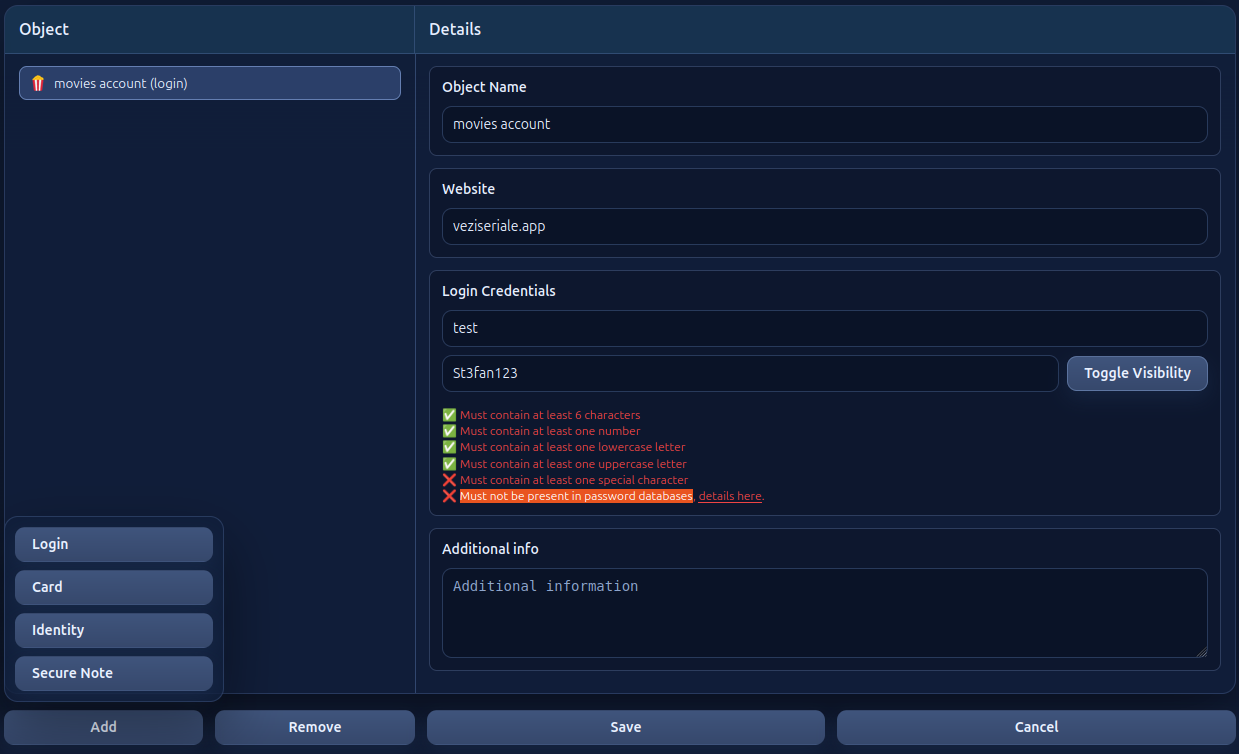
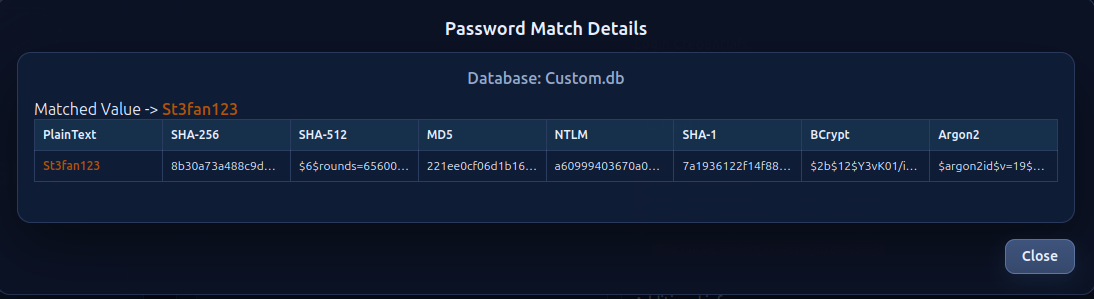
The Vault is where a user can safely store credentials or other kinds of data. This is where the custom database comes in handy. When the user tries to save a "login", the application will check the global and personal databases to see if that password is present. From the previous example, it's very unlikely that "St3fan123" will be found in a global database.
Functionality 6 — Browser Extension
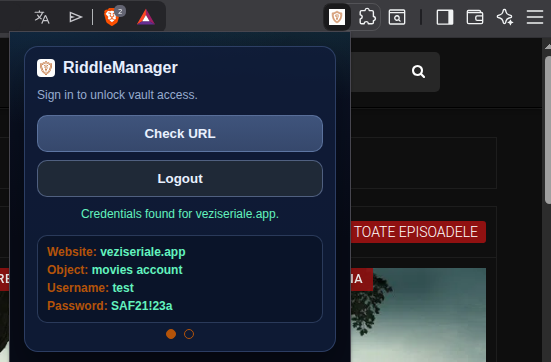
It's difficult to always open the app, search for data in the vault then copy-paste from the vault to the web browser. In order to facilitate this, you download the extension, install it, login and when you visit a web page you can click "Check URL" and the extension will search the vault and display data if it finds that URL.
Development Notes
Moving towards a "security engineer" profession, the first idea (inspired from TryHackMe) was just to create an API with its own database that checks if a password exists in that database and checks the complexity of it when a user registers. Almost every room on that platform talks about credentials in one form or another. The idea to transform this app into a full Password Manager was due to the course trainer.
While developing the app, creating, deleting, and modifying a lot of accounts to test register and login routes, an interesting discovery was made: abbreviations from Romanian language were being used as passwords out of habit. It didn't matter how complex those passwords were — the English version of common abbreviations got detected almost every time, but the Romanian version did NOT. This highlighted exactly the problem Riddle Manager aims to solve: universal wordlists miss language-specific patterns.
The current state of the app is far from being finished — only worked on for 30–40 days. A lot more ideas need to be added and even more work before reaching a secure production state. While my primary expertise for the last decade has been in Python, with a deep understanding of backend architecture and security, almost the entire project was created using AI-tools in VS Code.
Lessons Learned
- Cybersecurity details have to be tailored for each entity — universal (off the shelf) security measures do not completely help.
- The code itself can only protect us to some degree. Browsing wordlists on GitHub revealed numerous football-team names, but none from Romania, so a password like "Steaua Bucuresti1947" would bypass any filters we could code. A few lines of code could be just as important as the other thousands.
- No matter how many filters and security measures we implement into a service, the human factor will always be just as important.